



Billionairespin Casino App
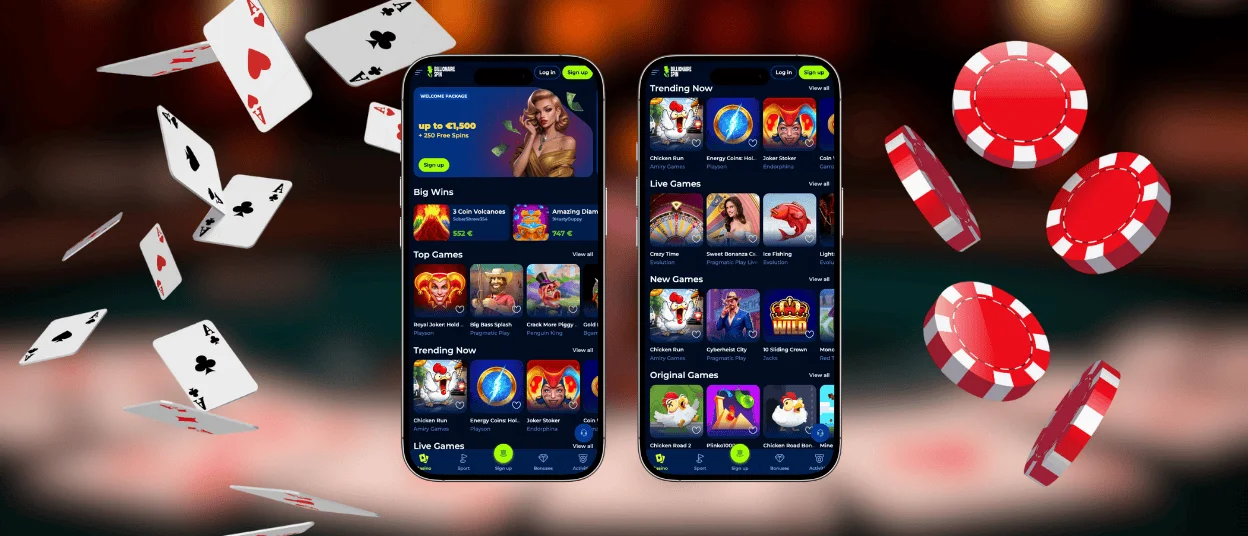
The Billionairespin app is a browser-based mobile version of the platform for Android and iOS. It gives access to the same account, balance, and main sections as the website, while adjusting the interface for smaller screens and touch control.
Billionairespin uses a PWA format instead of a classic store app. You open Billionaire Spin in a modern browser and use the platform in an app-style view that keeps navigation clear. Core actions stay easy to reach during play, including game browsing, promotions, support access, and the Deposit button with a switch to withdrawals.



Key Features
The Billionaire Spin mobile casino keeps the full playing flow available on a phone or tablet. The interface stays touch-friendly, so you can browse the lobby, open games, and manage your account without extra steps.
Game lobby and game discovery
The lobby structure stays consistent across devices, so you can recognise categories and continue playing without relearning navigation. Game tiles are sized for smaller screens and remain readable in both portrait and landscape use. Search and provider filters help shorten browsing when you want a specific title. “Top” and “New” sections support quick choices when you prefer to explore instead of scrolling for a long time.
Navigation and session control
Menus focus on simple actions. Main sections remain easy to reach while you move between the lobby and an active game. This helps during short sessions when you want to return to a recent title or switch categories fast. The layout reduces misclicks by keeping tap areas clear and spacing consistent. Support access stays within the same environment, so you can request help without leaving your session.
Account, payments, and promotions
One account works across devices, so your balance and settings stay synced. Payment management sits behind the Deposit button in the header, with a clear switch to withdrawals inside the same window. This keeps the process familiar and avoids confusion on mobile. Promotions follow a card format that shows the headline value first, then deeper rules inside the offer view. That approach supports quick comparison on the go. Billionairespin casino uses the same security checks on mobile as on desktop, so verification and payment review follow the same logic.
| Feature area | What you get in practice |
| Game access | Full lobby with slots, live games, and RNG table-style titles in the same structure |
| Filters and sorting | Search and provider tools that reduce scrolling on mobile screens |
| Account sync | Shared login, balance, favourites, and bonus progress across devices |
| Payments | Deposit and withdrawal tools in one place through the header button |
| Promotions view | Offer cards with headline values first and full terms inside each promo |
| Platform format | Runs as a PWA in the browser (no store download) |
Performance and security basics
Pages are built to load in a lightweight format on common mobile connections. The Billionaire Spin app runs in modern browsers on Android and iOS while keeping encrypted connections and standard account protection in place.
Mobile Application for iOS
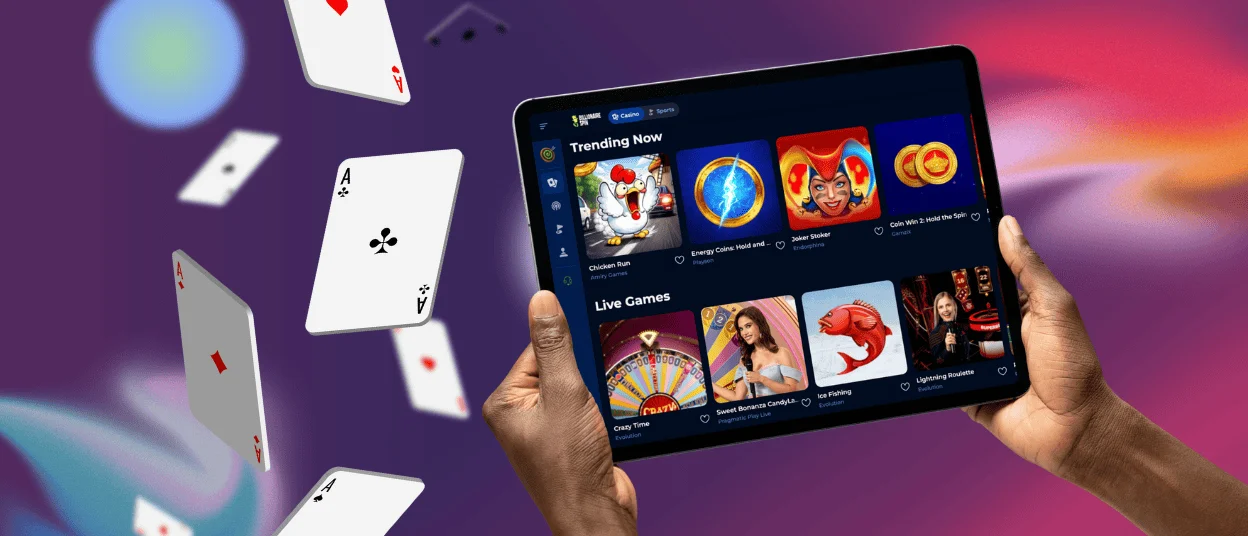
Billionaire Spin runs on iPhone and iPad through Safari in a mobile layout, so you can play without installing an App Store application. The interface stays clear on smaller screens and supports touch control with readable buttons and large game tiles. Your account stays the same on iOS and desktop, so your balance, favourites, and active promotions remain synced when you switch devices. The platform also protects sessions with encrypted HTTPS connections, which helps keep logins and account actions private on mobile networks.
To create quick access on iOS, add the site as a home screen shortcut from Safari:
- Open the official Billionaire Spin website in Safari
- Tap the Share icon
- Select “Add to Home Screen”
- Confirm the name and tap “Add”
After you add the icon, iOS opens the casino in a focused app-style view, which makes navigation feel cleaner during a session. This setup works as a PWA, so it behaves like an application while still running through your browser. On iPad, the larger display can make lobby browsing easier because more game tiles fit on screen at once, especially in landscape mode. Payments and account tools stay available from the same top navigation, so you can manage deposits and withdrawals without leaving the mobile flow.
Billionaire Spin App for Android
On Android, the Billionaire Spin app runs in your browser and keeps the mobile lobby fast and simple. You get the same account across devices, so your balance, favourites, and active bonuses stay in sync. This format also stays easy to maintain because updates apply automatically through the web version. That is why Billionairespin apk is not needed for normal play. The PWA setup delivers app-style access without downloading a separate file.
To add the mobile version on Android, use Chrome or another modern browser:
- Open the official site in your browser
- Tap the three-dot menu
- Select “Install app” or “Add to Home screen”
- Confirm and launch from the new icon
After setup, Android opens the platform in a focused window that works well for touch control. Large game tiles help you browse without constant zooming, and key sections stay easy to reach during a session. Payments and account tools remain available from the header, so you can manage deposits and withdrawals without leaving the mobile flow.
Use the install option only from the official website. Avoid third-party “app files” and copied links. Keep Android and your browser updated, use a screen lock, and log out if you play on a shared device.
Billionaire Spin on Windows and macOS
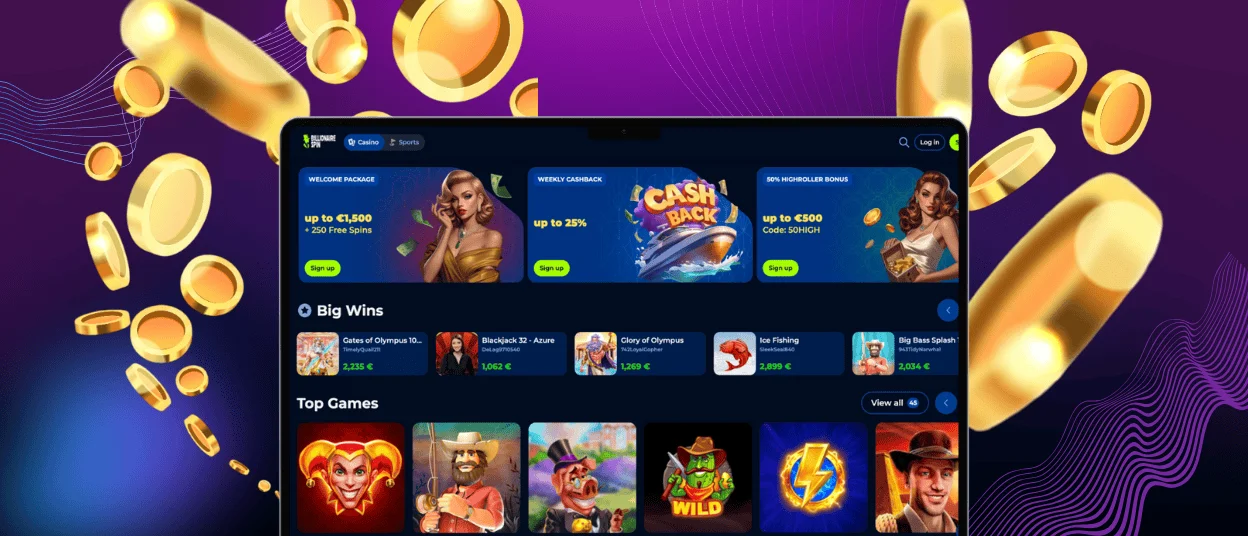
Billionaire Spin works on Windows and macOS through modern browsers, so you can use the full lobby without installing a desktop program. For stable performance, use updated Chrome, Safari, Firefox, or Edge. The larger screen helps with browsing because you see more game tiles at once and filters feel easier to use with a mouse. Desktop access also suits account tasks like checking payment details or uploading verification documents.
If you want quicker entry, create a desktop shortcut from your browser and open the site in a dedicated window. For live casino, a stable Wi-Fi connection works well, and a wired connection can feel even steadier during longer streams. You can then continue on Android or iOS with the same account, so your balance and settings stay consistent across devices.
Frequently Asked Questions (FAQs)
Do I need to create a new account to use the mobile version?
No extra registration is required for the mobile version. The mobile format uses the same Spingranny account as the desktop site, so you sign in with the email and password you already created. Your profile data stays linked to one account, which means your balance, favourites, and activity progress remain connected when you move between phone, tablet, and desktop.
Will my favourites stay saved when I switch between phone and desktop?
Favourites stay linked to your account, not to a specific device. If you add a game to favourites on mobile, it should appear the same way after you sign in on desktop.
If a favourite does not show, refresh the lobby or sign out and back in. This usually updates the list.
Can I stay logged in on more than one device at the same time?
Spin Granny lets you use the same account across different devices, so you can sign in on mobile and desktop with the same details. For account safety, the system can limit or reset a session when it detects unusual activity or when two logins happen at the same time. If this happens, the site can ask you to sign in again, which protects the account from being used by someone else.
If you share a device, log out after play and avoid saving passwords. This reduces the risk of unwanted access and keeps your session private.
Can I use Face ID or fingerprint to log in faster?
Biometric login works through your device and browser, not through a separate casino setting. If you save your Spingranny login in the secure password manager of Safari or Chrome, the browser can ask for Face ID, Touch ID, or fingerprint confirmation before it fills your details. This speeds up access while keeping control in your phone’s security tools. If you prefer not to use biometrics, you can always sign in manually with email and password.
Is the connection secure when I play on mobile data?
Spin Granny protects sessions with encrypted HTTPS connections, which helps keep logins and account actions private while data travels between your device and the site. This protection works on both Wi-Fi and mobile data, so your traffic does not travel as plain text.
For best safety on mobile networks, avoid shared devices, use a screen lock, and log out after your session. If you use public Wi-Fi, it is safer to switch to mobile data or a trusted network.


