



Billionairespin Account Access and Registration
Your Billionairespin login details let our system recognize you and provide you with a more personalized experience. What’s more, you can feel safe – after all, you can track your activity and check that no one else has accessed your profile.



How Can I Create an Account at Billionairespin Casino?
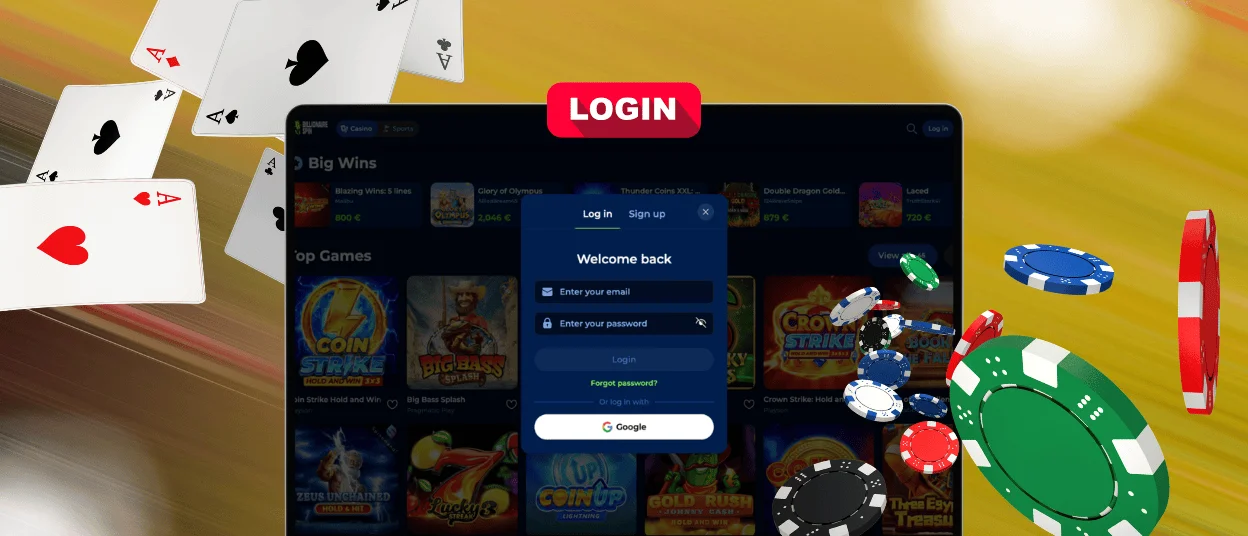
On the Billionairespin Casino platform, you can create an account through the regular sign-up form, as well as using Google or our PWA. The registration process takes from a few seconds to a minute – and it all depends on the method that you choose.
The first option is the most familiar for many users. It requires only a little information from you – just your email address and password. To register this way, you should click “Sign Up”.
You’ll find a similar button in our PWA and go through the same registration process. And right after that, you can open Billionaire Spin from the shortcut on your desktop – just like any mobile application.
Some users also prefer to link their profiles with Google. This is convenient because it’s the fastest way to join us. But you should remember: if you ever lose access to your Google account, you can also have problems with your Billionairespin login.
Using a Billionairespin Account
Once you become an official Billionairespin Casino member, you’ll notice that the platform interface has more options and buttons. And you can use each of them to make your gaming experience better.
| Website Options for Registered Users | What You Can Do | Notes |
| General account section | View and update personal data, verify your email address and phone number | You can edit this information only before you complete the verification process |
| Security | Enable two-factor authentication and change your Billionairespin login details | We recommend that you update your password every two months |
| Gambling limits | Set limits for playing time, deposits and other activities | You can also request self-exclusion here. But remember that your Billionaire Spin account will be permanently closed and you won’t be able to restore access to it |
| Wallet | Check your balance, manage transactions | If you choose a deposit method, you need to use the same option for your withdrawals |
| Bonuses | View available offers and activate bonuses | You can find the terms of a specific bonus if you click the Info icon next to it |
| Loyalty bar | See your level and available benefits | The bar shows how many wagering points you have collected and how many more you need to reach the next rank |
| History | Track gaming activity, transactions and bonuses | Thanks to this option, you can control your financial operations and create reports based on them |
| Friend referrals | Share a registration link and view rewards for invited users | You can get from €10 to €350 for each referral |
Plus, you can climb the ranks and get more personalized Billionairespin offers with better bonus terms thanks to your progress.
Billionairespin Account Verification and Security
All Billionairespin Casino users undergo verification some time after registration. We need this procedure for several reasons:
- Account protection – By verifying your IP address, we can make sure that every Billionairespin login is made by you.
- Security of financial transactions – No one else can use your payment methods for their own account because they are also verified.
- Quick account recovery – Even if you’ve forgotten your password or lost access to your email, you can contact our multilingual support team via live chat. We’ll help you get back into your Billionaire Spin Casino account.
- Additional features – After your identity check is complete, you’ll be able to withdraw your winnings.
It’s easy to handle the KYC process at Billionairespin Casino. All you need to do is go to the Verification section and upload documents that confirm your identity and address. So, you can send your passport, driver’s license or other forms of ID. As additional files, you can also attach utility bills or any proof of your deposit.
Forgot Your Password?
If you can’t log in to your account because you don’t remember your credentials, you shouldn’t create a new profile. Just use the password recovery option on the Billionairespin login page. That way, you’ll get a link in your email inbox, and thanks to it, you can set a new password. Please remember that it must also be unique and at least 6 characters long.
FAQ
How long does account verification take?
Usually, this process at Billionaire Spin Casino lasts up to 72 hours. But you can make it faster by checking that all your details are correct. Also, make sure that all photos of your documents are clear and easy to read.
Do I need a separate account for the Sports section?
No, our casino and sports pages work within the same account. So, you can use your Billionairespin login details for both options.
I entered my password too many times and my account was locked. Is it permanent?
No, this is a temporary security measure. We use it to prevent potential hacking attempts. Just wait a bit and try the Billionairespin login again. Also, you can reset your password.


